Mauborgne For Linux Desktops
Your one time codes, on your terms.
Mauborgne generates TOTP and HOTP codes, keeps the secrets in your system keyring, and can sync them across your devices with end to end encryption.
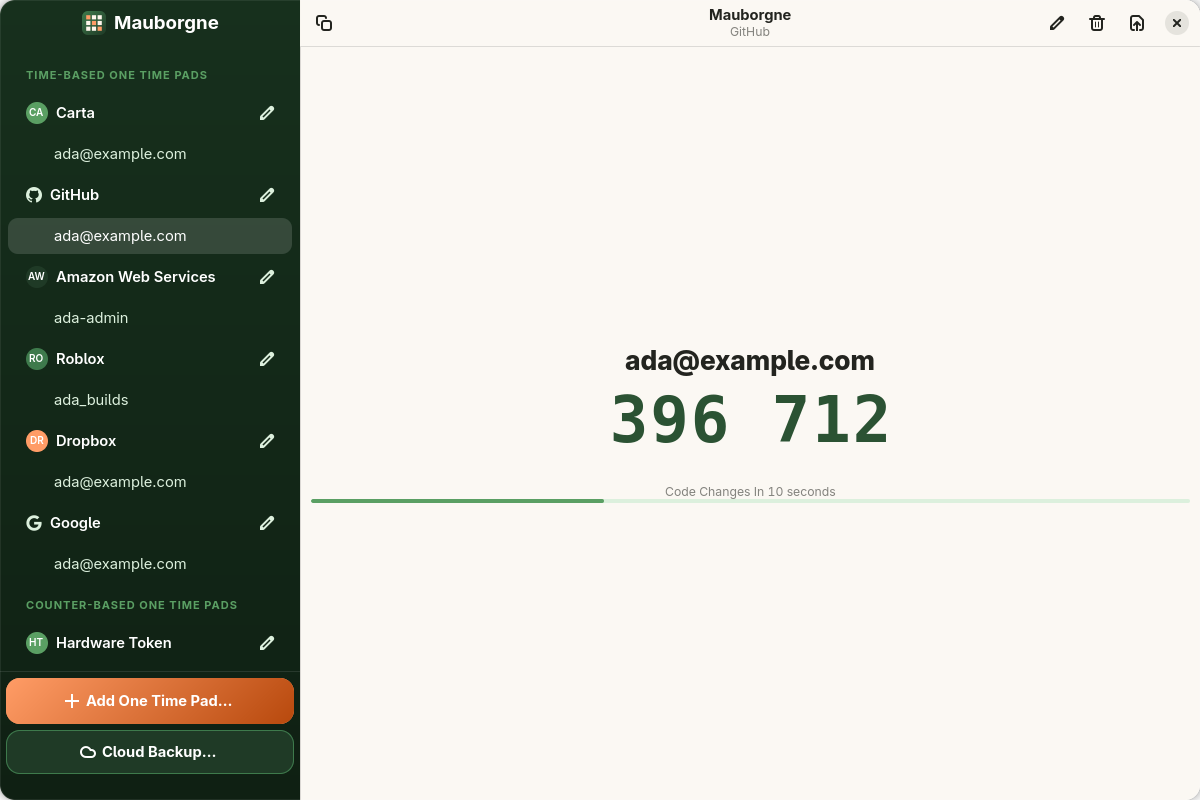
Code copied 396 712
Mauborgne generates TOTP and HOTP codes, keeps the secrets in your system keyring, and can sync them across your devices with end to end encryption.
A quiet, native app that does one job and keeps your secrets where they belong.
Time and counter based codes with SHA-1, SHA-256 and SHA-512, a live countdown, and one click to copy.
Pad secrets live in libsecret and the Flatpak secrets portal, never in plain files on disk.
Pick an image of the QR code, type a setup key, or import an Aegis vault. Nothing leaves your machine.
Turn a pad into a QR code for another app, or export one or all pads as an encrypted Aegis vault.
Runs as a Flatpak with only the access it needs, so a compromised page or app can't read your codes.
Optional encrypted backup and sync with the Mauborgne apps for Windows and Android, $10 a year.
Your pads are encrypted on this device before they are uploaded. The cloud password never leaves it, so even we can't read your backup.
Pads are sealed in an Aegis format vault with a random key, which is itself wrapped with a key only your password can produce.
The server holds ciphertext and an OPAQUE password record. It can't decrypt a backup, and can't alter one unnoticed.
Edits merge automatically between Linux, Windows and Android, including deletions and counter positions.
This site is for the free and open source Linux desktop client, and it installs from the Flatpak repository below. Mauborgne for Windows and Android are separate apps from the same family that share Cloud Backup.
Add Mauborgne's own Flatpak repository, hosted right here, then install. Updates arrive with the rest of your apps.
Channels: stable follows releases, beta follows development. Signed images, verified from Flatpak 1.17 (key F6B4 229E 4C6C 38FE). The GNOME runtime is installed from Flathub.
flatpak remote-add --if-not-exists --user --no-gpg-verify \
  mauborgne oci+https://linux.mauborgne.app
Older versions cannot verify the signatures, so add the remote without verification, then install as shown.
flatpak remote-add --user \
  --signature-lookaside=https://linux.mauborgne.app/sigs \
  mauborgne https://linux.mauborgne.app/mauborgne.flatpakrepo
flatpak install --user mauborgne \
  io.github.jhaygood86.mauborgne
The same codes and the same Cloud Backup, built for Windows with Windows Hello support.
Not covered by this site. Download links are coming soon.
Scan a QR code with the camera and unlock with your fingerprint.
Not covered by this site. Download links are coming soon.
This Linux desktop client is licensed GPL 3 or later and developed in the open. The OPAQUE client that powers Cloud Backup is dual licensed, GPL 3 or commercial.